Showing posts with label Dexter Industries. Show all posts

Monday, November 21, 2011

Dexter Industries: Win a Snowflake dIMU


This week Dexter Industries will be giving away a "Snowflake dIMU" to one lucky winner. It's a special edition of the dIMU sensor.

“How can I win the Snowflake?
You can win the Snowflake by visiting us on Facebook, and liking Dexter Industries Facebook Page, in the next week. Already like us? You’re entered!"

More details are on their website.

Thursday, November 17, 2011

Segway Source code now available (dIMU and HiTechnic)

In the past few months I've been working on a renewed RobotC program for a LEGO MINDSTORMS NXT Segway.

The current program handles all balancing tasks in the background so you can make the Segway do what you want without worrying about balancing. It supports both the HiTechnic Gyro sensor and the new Dexter Industries dIMU. The complete source and instructions are available on my website.

The older ready to run NXT-G version of the program (only supports HiTechnic Gyro) is also still available.

Many of you have been asking for the source code, so here's a chance to study the balancing algorithm. You may use and edit the code as you like, but don't forget to link to the original code and give credit if you reshare your program.

Update: Just another example of what you could use the code for!

Friday, November 11, 2011

LEGO STREET VIEW CAR

We are all familiar with what Google has done with the invention of it's Street View Car.. and we see the result each time we click on Street View* on Google Map!  Well Mark Crosbie has recently completed his latest version of the LEGO STREET VIEW CAR and it works pretty much the same way as the real thing...  Here is a video showing the history behind this project:


Worth mentioning is that Mark and his LSVC will be present at the World Robotics Olympiad finals held in Abu Dhabi this year -- If you are a WRO finalist and will be present in AD this coming week, be sure to go visit The Robotics Experts booth in the main hall and check this cool Mindstorms creation in action.

More detail on Mark LSVC can be found here: http://www.mastincrosbie.com/Marks_LEGO_projects/LEGO_Projects.html

More details on the WRO can be found here:
http://wroboto.org/en/


* Maybe one day we will be able to see LEGOLAND under Google Map's Street View mode!! :D

WiFi Week - Dexter Industries


Dexter Industries have just wrapped up a week of WiFi inspired posts aimed at getting you DI WiFi sensor connected to the Interwebs.

I wouldn't say it your typical kid could do it, (it talks about modem AT commands and other scary stuff), but DI have done an amazing job of leading a newbie through the process, one step at a time.

Definitely worth the read if you're interested at all about how these things work.  I certainly learnt a lot :)

I love the final instalment where they take a temperature reading, and sent it to a twitter account.
Tweeting NXT's, love it :)


From their website:

Wifi Sensor for LEGO MINDSTORMS ReleaseThe Dexter Industries Wifi sensor for LEGO MINDSTORMS NXT is released! Continue reading →
WIFI Week: Communicating with ComputersThe second installment of Wifi Week at Dexter Industries. Today we’ll be walking you through our example of how to connect to other computers and internet devices with TCP protocol. In this post we use our wifi sensor to make a Lego MINDSTORMS NXT that receives texts.Continue reading →
WIFI Week: PING!Part 3 of our Wifi Week examples: ping! Find the IP address of your favorite website, and then ping it. Got a fast connection? Prove it with Ping! Continue reading →
WIFI Week: Setting Up a WebserverSetting up a webserver for your MINDSTORMS robot can be done now with the Dexter Industries Wifi sensor.  A few months back, Botbench setup an incredible example of a webserver.  This example is based largely off the work done there. … Continue reading →
Wifi Week: Crank Up The Speed!Communicate between the NXT and the rest of the world faster than you ever have before: unleash the speed of high speed communications with the Wifi Sensor. Continue reading →
WIFI Week: Twitter TemperatureThe final part of our Wifi Week! In this final example, we demonstrate how to send a message to Twitter from your robot. Check out how we use the Wifi Sensor to Tweet the Temperature!Continue reading →

Monday, November 7, 2011

Dexter Industries TIR Sensor

I've just finished playing around with the new Dexter Industries Thermal Infrared Sensor (TIR).
While Xander did a very nice experiment with RobotC, I was keen to see how well it went with the NXT-G datalogging blocks.

I got some good results, and although it would be nicer if it sampled a little faster than 5Hz and reacted to changes in temperature a little quicker, it was easy to implement and I can see lots of great experiments I could run in class with it.


Monday, October 17, 2011

NXT Segway follows a line

A few days ago, I blogged about the progress on my NXT Segway with the Dexter Industries IMU. Here's a new video showing how it follows the line on the NXT Test Pad.

I will bring this robot to LEGO World (Netherlands) next weekend. Feel free to come by for a chat! We all speak Dutch and most of us speak Dunglish very well, too.

Friday, October 7, 2011

Segway balancing with Dexter Industries IMU Sensor


Recently I have been reprogramming my NXT Segway. The code is now much cleaner, and it also made it easier to implement Dexter Industries' latest sensor, the 6DOF IMU. The Segway runs around the room while avoiding objects with its ultrasonic sensor. This isn't new, but it's a nice demonstration of Dexter's new sensor.

In this robot I'm just using one "Degree of Freedom", namely one gyro axis. Other axes could be used for elementary navigation like making a 90-degree turn. The acceleration sensor could help determining whether the robot has run into an obstacle. Much interesting work left to do here!

Sunday, July 24, 2011

NXT swarm robots

There's a new project by Carnegie Mellon University Robotics Academy (known as creators of the NXT programming language RobotC): swarm robots that are communicating via the NXTBee hardware by dexter Industries.
In the following video, the NXT robots collaborate to group around a leader robot:


More details can be found on the associated entry in the RobotC blog.

Thursday, July 21, 2011

Dexter 6DOF-IMU

6DOF-IMU you say???  What's that?


Well the folks over at Dexter Industries look like they are putting the finishing touches to a new sensor.  The IMU stands for Inertial Measurement Unit and the 6DOF means 6 Degrees Of Freedom.  What does that mean in normal speak?

Well in layman terms the sensor will be able to not only be able to measure movement in the left/right forward/backward and up/down directions, but will also be able to measure the amount of rotating in all the same directions (can anyone come up with a better explanation?)

Xander over at 'I'd Rather be Building Robots' has a prototype (complete with ridiculously bright LED) and is putting it through it's paces.  Can't wait to see what's possible with this sensor!

Sunday, June 26, 2011

Dexter Industries - Thermal Infrared Sensor

Dexter Industries have just released their latest sensor for the NXT, the Thermal Infrared Sensor.

From their webpage -
The Dexter Industries Thermal Infrared Sensor reads surface temperatures of objects. It is a non-contact thermometer based on the MLX90614. Detecting the infrared radiation from an object, the sensor can read object temperatures between -90°F and 700°F (-70°C and +380°C). The sensor has a high accuracy of 0.5°C and a resolution of 0.02°C. 
The Thermal Infrared Sensor reads both the ambient temperature (the temperature of the air around the sensor) and the surface temperature of the object that the sensor is pointed towards. 
The sensor can detect a flame at a range of 2 meters.

Xander has already done some cool things with his sensor, and I've just received mine, so stay tuned for a post about how I've tested it out.

How would you use this sensor?  Feel free to add your thoughts in the comments.

--
Damien Kee
www.damienkee.com

Tuesday, June 14, 2011

Thermal Imaging with a thermal IR Sensor

Xander has once again come up with a fantastic post on his Blog about his use of the Dexter Industries Thermal IR sensor.

http://mightor.wordpress.com/2011/06/12/bring-on-the-heat-thermal-imaging-with-the-nxt/


Having spent most of yesterday hacking and optimizing the firmware for the new Dexter Industries Thermal IR Sensor, I thought I would go ahead and make something fun with it today.
I built a pan and tilt rig for the sensor with a great deal of gearing down to allow me to take a lot of measurements as the rig moved around. Initially I had it set for about 40×40 measurements but those didn’t look that great and I wanted a bit more. I reprogrammed it and made it spit out data at a resolution of about 90×80.

He gets some great looking images of both a cold bottle and a hot flame.


From what I hear, he's working on increasing the resolution and range that the sensor can output.

--
Damien Kee
www.damienkee.com

Monday, June 13, 2011

Beginning GPS for NXT Robots

Our very own Jim Kelly has teamed up with Dexter Industries to produce a new book aimed at the using the dGPS sensor.

Satellite GPS systems have become more and more integrated in the way we live.  As our world becomes increasingly dependent on the Global Positioning System, it was obvious to us that the next generation of scientists and engineers will need to know how to use it and what its limitations are.     This workbook was written to bring to life the GPS system that we often take for granted, and help students understand it, explore it, and find new ways to use it.   

Check out the sensor here:
http://www.dexterindustries.com/dGPS.html

And you can get the book and more info here:
http://www.cafepress.com/thenxtstep.545166852

--
Damien Kee
www.damienkee.com

Monday, May 9, 2011

Taking over Xander's NXT


Xander Soldaat has set up an interesting interface that uses the new Dexter Industries WiFi sensor. The idea is simple: control Xander's NXT from anywhere in the universe that's connected to the internet.

Before I post any spoilers, have a look at his NXT live with this link.

Then, in a different window, send a command to his NXT with the WiFi sensor using this link:
http://xammy.demon.nl:81/MOTA=-99
Replace "-99" with any value between -100 and 100 and see what happens.

Sunday, February 27, 2011

New block in the house : RS485 on NXT-G

Reproduced with permission from Xander's blog I'd Rather Be Building Robots

RS485 Blocks by Andy MilluzziGive it up for my main man Andy Milluzzi who, with some help from John Hansen, created the world’s first NXT-G block that leverages the NXT’s RS485 communication abilities! Well done.
What does that mean?  Well now you can connect two bricks, back-to-back with a cable connected between their S4 ports and communicate at a blinding 921600 bps!  That’s quite a bit faster than regular Bluetooth and without the overhead of those mailboxes.
This opens up a whole new world of possible sensors! One of them being the new Dexter Industries NXTBees. How cool is that?
You can download the block from here: [LINK]. You will need at least version 1.05 of the LEGO NXT firmware to use this.

see original post here 

PS: looks like this could be quite useful for my W.5 project...

Friday, December 17, 2010

Avoiding speed tickets with LEGO® MINDSTORMS NXT

dexter industries, a third-party vendor for sensors that are compatible with LEGO® MINDSTORMS NXT, has published a nice video on a use case for their GPS sensor:


More details kann be found here.

Thursday, October 14, 2010

Renewable Energy from the NXT

Image courtesy of dexter industries
Dexter Industries, a 3rd party provider of hardware for the NXT, has released a solar power system for the NXT:

"dSolar Systems from Dexter Industries allow you to power your Lego Mindstorms NXT robot using nothing but the sun! This 9V solar power system is compatible with Lego Mindstorms NXT creations and includes everything you need to get started. Easily attach the solar panel to any of your Mindstorms NXT creations."

Interesting stuff! Browse to their website and have a look. There are also some interesting projects and videos on their blog.

Sunday, July 11, 2010

Coming Soon: dSolar sensor from Dexter Industries

Remember Damien Kee's post "NXT powered by solar"? Well here is another sneak peek at Dexter's upcoming dSolar. This time by one of Dexter's official beta tester and Teen Fan Of LEGO Mindstroms, Joey --who presented us last time the dPressure sensor from Dexter Industries -- strikes again with an exclusive review that can be found on his new website: www.lego-x.com

Check out the video he made showing us the different components, how to plug them together and for the first time* see an NXT powered without batteries!


* I think others may have successfully done this before, but to my knowledge, this is the first to be commercially available solution. 

Monday, May 24, 2010

Temperature Sensor Review - Dexter Industries

I mowed the lawn today. But we'll get back to that.

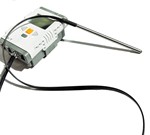
I've had the chance to play with Dexter Industries new temperature sensors recently. These are thermistor-based, and read as analog sensors by the NXT. There are two versions: the "O" or open version, which is essentially a bare thermistor for a fast response, and a "P" or protected version that encloses the same thermistor in a stainless steel sheath. Rated from -50° to 150° C (-58° to 302° F) they span just about any (un)reasonable temperature a LEGO user is likely to need, from dry ice to the average oven (I'm pretty sure the plastic coating on the cord would not handle that; don't do it), and reasonable resolution which varies with temperature but is as fine as 0.15 °F (the resolution is poorer near the upper & lower extremes). Dexter Industries provides NXT-G blocks to read the sensors that work very nicely - under NXT-G 2.0, the block provides better than 1° F resolution, and will output the measured temperature in °C, °F, K, and R (OK, I don't know who still uses Rankine, but it's kind of neat it's there). The steel-coated one doesn't fit nicely into LEGO geometry, but I found it easy to mount onto structures with a simple rubber band. The "open" or bare sensor is so small it's trivial to thread through LEGO pinholes & in fact can fit inside LEGO pegs themselves if you are careful.

I tested the thermal response of the sensors against the other standards I have: the old LEGO analog sensor, and the newer LEGO digital one. The first test was to simply chill all the sensors in icewater, & then plunge them into boiling water. Ideally the sensor should respond as quickly as possible, and the offerings from DI did fairly well. The "open" version had almost the same time response as the LEGO digital sensor, a characteristic time of about 4 seconds. The "protected" version wasn't nearly as fast, but still faster than the old-style LEGO sensor... and unlike the LEGO analog sensor, these sensors will go to much higher temperatures (note how the analog sensor "maxes out" before it reaches the proper temperature). Testing the sensor speed (or NXT-G block speed) was also informative: the blocks from DI are actually faster than the way I'm reading the LEGO digital sensor, and the old LEGO analog sensor is much faster than all others... but that's not actually very important. The fact that these sensors can be read so fast is largely irrelevant as the physical response time of the sensors is so much longer.

The other thing I tried to do was do a direct comparision of the sensors at the same temperature. Actually, I tried to do this for about three days, with little luck (the graph at left is one of the best runs... notice it took about 10+ hours of continuous measurement and sloooow temperature changes). The problem is not that the sensors are poor - in fact, they're (all) rather good. The problem is that first graph, showing response time. If the temperature changes, each sensor will respond at a slightly different rate, so even in the same environment, they won't always show the "same" temperature. By keeping all four sensors in the same water bath, and very slowly changing the temperature, I tried to correct for this, and at first glance at the graph it looks like all four tracked the temperature identically... but they didn't. In fact there were times that one sensor was as much as 4° F "out of alignment" with another. A 4° error? Hmm...

Is this a problem with the sensors? Well... no, actually. It's what you'd expect, given that even in a water bath, the temperature isn't the same at all points (convection currents), and if the temperature is changing, even a little bit, you should expect the sensors to respond differently. I wanted to mention it here because it's important to realize what the limitations of a sensor (any sensor) are... and that those limitations aren't always due to the manufacturer, but the essence of what you are measuring. Don't blame the manufacturer if you don't understand exactly how the sensor should respond.

I really like the LEGO digital temperature sensor - it's just about as fast as the best from DI, but with amazingly high resolution, and it's digitally corrected within the sensor, as well as protected. But... there are things these DI thermistors can do that the LEGO digital version can't. First, they're cheaper, which can certainly be a consideration. Second, they could potentially work over longer distances (I was grateful for the chance to play around with a "open" version with a 2 meter long cord, a meter longer than the NXT I2C system can easily handle and very useful). And third, their small size and flexibility allows the "open" version in particular to be used in places that would otherwise be impractical.

Remember mowing the lawn?

Here's where a small, flexible sensor can really shine. It's been hot here in Indiana, but I still had to head outside today to mow the lawn... and wondered just how hot I was going to get. Not how hot it was outside (easy), but how hot I would be working out there (hard). So I stuck the NXT in a little fanny pack with the LEGO digital sensor sticking out to record air temperature, and using advanced bioadhesives* secured two DI "open" style thermistors to my body in protected areas. The result was that I could log an approximation of my core body temperature as I was working, and see how fast it warmed and how fast it dropped again when I stopped & went indoors to the air conditioning. This is probably not something I could have done easily with the "protected" or LEGO digital probe... but it was easy (actually, not even uncomfortable) with the small flexible "open" sensor. And it showed a number of interesting trends, including my core temperature rising but dropping back down rapidly after I entered the house.

It's amazing what you can do with a simple set of sensors, when they are coupled to a flexible independant computer the size of your fist that can be programmed by a child :). Now, if I can just figure out how to rig a pulse monitor and respiration rate sensor...

*No, not duct tape. Rubber bands around my upper arm and band-aids.

Tuesday, May 11, 2010

Coming soon: Pressure sensor from Dexter

Joey, a young fan of LEGO Mindstorms who runs his own blog, was recently invited to test Dexter's upcoming sensor.  He wrote a nice article about it. I invite you to read it on his LEGO-X blog latest post:

Special! Datalog report for the new sensor from Dexter Ind. : dPressure

The NXT Step is often his number one source for news and information about NXT related things ...but not this time!  Well done Joey and thanks for your report.

Wednesday, May 5, 2010

Review of some thermal sensors for the NXT

MDP Dave Astolfo has published a review of a set of Dexter Industries Thermal Sensors and compared them to the LEGO® Education NXT Temperature Sensor.
Have a look at the according page at www.plastibots.com.